 Printhawk
300 dpi: what it means and how to get it
Updated
300 dpi means the file supplies 300 pixels for every inch of print. It is the standard for photos and art seen up close. To check, divide the image’s pixels by the print size in inches: 3,000 px across a 10 inch print is 300 dpi. An 8 × 10 print needs 2,400 × 3,000 pixels.
| Resolution | Pixels needed | Megapixels |
|---|---|---|
| 150 dpi | 1,240 × 1,754 px | 2.2 MP |
| 200 dpi | 1,654 × 2,339 px | 3.9 MP |
| 300 dpi | 2,480 × 3,508 px | 8.7 MP |
What 300 dpi actually is
A digital file has no size in inches; it has pixels. “300 dpi” describes the relationship between those pixels and a print: 300 of them laid side by side make one inch. Strictly this is ppi (pixels per inch); printers and labs say dpi, and in this context the two mean the same thing (dpi vs ppi).
The number matters because at about 25–30 cm, the distance you hold a photo, normal eyesight resolves detail at roughly 290–350 pixels per inch (worked out in dpi for printing). 300 dpi sits at the point where extra pixels stop being visible.
Pixels needed at 300 dpi
| Print size | Pixels at 300 dpi | Megapixels |
|---|---|---|
| 4 × 6 in | 1,200 × 1,800 | 2.2 |
| 5 × 7 in | 1,500 × 2,100 | 3.2 |
| 8 × 10 in | 2,400 × 3,000 | 7.2 |
| A4 | 2,480 × 3,508 | 8.7 |
| 11 × 14 in | 3,300 × 4,200 | 13.9 |
| 12 × 16 in | 3,600 × 4,800 | 17.3 |
| A3 | 3,508 × 4,961 | 17.4 |
| 16 × 20 in | 4,800 × 6,000 | 28.8 |
| A2 | 4,961 × 7,016 | 34.8 |
| 18 × 24 in | 5,400 × 7,200 | 38.9 |
| 24 × 36 in | 7,200 × 10,800 | 77.8 |
Notice how fast it grows: doubling the print’s sides quadruples the pixels. A 24 × 36 poster at 300 dpi needs more pixels than most cameras capture, which is why large posters are usually printed at 150–200 dpi.
What a camera or phone file gives you at 300 dpi
| File | Print size at 300 dpi | At 200 dpi |
|---|---|---|
| 1920 × 1080 (HD screenshot) | 6.4 × 3.6 in | 9.6 × 5.4 in |
| 4032 × 3024 (12.2 MP, 4:3) | 13.44 × 10.08 in | 20.16 × 15.12 in |
| 6000 × 4000 (24 MP, 3:2) | 20 × 13.33 in | 30 × 20 in |
| 8192 × 5464 (44.8 MP, 3:2) | 27.31 × 18.21 in | 40.96 × 27.32 in |
Prodigi’s own image size guide makes the same calculation: in its table a 4,256 × 2,848 pixel file prints 14.2 × 9.5 inches at 300 dpi.
How to make a file 300 dpi (the right way)
- If the file already has enough pixels, only the tag needs changing. In Photoshop: Image > Image Size, untick Resample, set Resolution to 300. Width and height in inches update; the pixel count doesn’t move. Many labs ignore the tag anyway and fit the pixels to the print.
- If it doesn’t have enough pixels, changing the number won’t help. Either print smaller, accept 200 or 150 dpi on a large print, or upscale (how to upscale for print).
- If you are creating new artwork, set the canvas in pixels from the table above for the largest size you plan to sell. Prodigi’s image FAQ recommends exactly that: set up for the largest size and let smaller sizes scale down.
A common trap: an app exports at “300 dpi” but at 1080 pixels wide. That is a 3.6 inch print. Always look at the pixel dimensions.
How labs check it
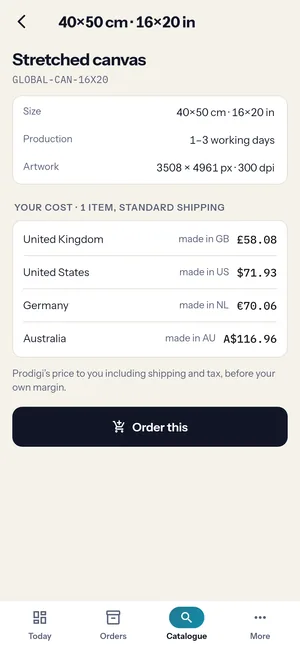
A lab doesn’t read your dpi tag; it compares your pixels with the physical print area. Prodigi’s catalogue gives each print area’s size in millimetres with a recommended dpi, and its API can validate artwork against a product before ordering. Printhawk shows the pixels each Prodigi size needs in its catalogue, so you can check a file against a size from your phone.
Questions
How do I know if an image is 300 dpi?
Divide its pixel width by the print width in inches. A 3,000 px wide file printed 10 inches wide is 300 dpi. The dpi number stored in the file only sets a default size and doesn’t tell you how sharp a given print will be.
How do I change an image to 300 dpi?
In Photoshop open Image > Image Size, untick Resample and type 300 in Resolution. The pixels stay the same and the print size shrinks to match. Ticking Resample instead adds pixels, which does not add real detail.
Is 300 dpi high resolution?
For print, yes: it is the usual target for photos and art seen up close. For a screen it means nothing, because screens show pixels one-for-one regardless of the dpi tag.
How many pixels is 300 dpi?
300 pixels per inch of print. An 8 × 10 inch print at 300 dpi needs 2,400 × 3,000 pixels; A4 needs 2,480 × 3,508.
Does every print need 300 dpi?
No. Large posters and canvases seen from further away look fine at 150–200 dpi. Prodigi calls 300 dpi ideal but notes that products such as canvas may need less.
Sources
- Prodigi, FAQ: Images (300 dpi ideal, image size guide, artwork for the largest size), prodigi.com/faq/images, read 27 November 2026.
- Prodigi Print API v5 reference: catalogue print areas and asset validation (prodigi.com/print-api/docs), read 27 November 2026.
- Pixel counts calculated at 1 inch = 25.4 mm and rounded to the nearest pixel; A sizes from ISO 216.