 Printhawk
How to cancel a Prodigi order
Updated
Cancel a Prodigi order from its order page in the dashboard, or with POST /orders/{id}:cancel. Draft, submitted and paused orders can be cancelled; before production it is free. Once an order is in production Prodigi may still stop it, but charges for the product. An edit window guarantees a free cancellation period.
When you can cancel, and what it costs
| Order status | Can you cancel? | Cost |
|---|---|---|
draft | Yes | Nothing; it was never submitted. |
paused (edit window) | Yes | Nothing. Prodigi charges only on submission. |
submitted | Usually, until the lab starts | Free before production. |
in_production | Sometimes, via the dashboard or support | Product charged; at most the unused shipping refunded. |
shipped, completed | No | Treat it as a delivery or returns question. |
The figures come from Prodigi’s FAQ, which says an order cancelled in production is charged and only unused shipping is refunded. The API is stricter: its cancel action covers draft, submitted and paused orders, and may be refused if fulfilment has progressed.
How to cancel in the dashboard
- Open the order from the Orders page.
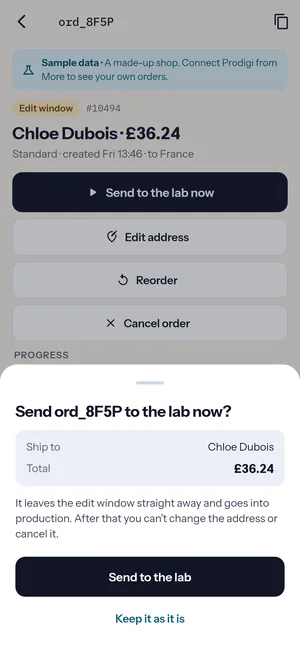
- Press “Cancel order”. If the button isn’t there, the order is past the point where you can cancel it yourself.
- If it isn’t offered, email
[email protected]with the order ID straight away. Prodigi says that if the lab hasn’t processed the order yet, support may be able to stop it.
Removing an order from the dashboard (the three-dot menu, “Remove”) is different: it hides an unsubmitted order from your list and doesn’t affect the order in your Etsy or Shopify store. It is not a cancellation of a submitted order.
How to cancel through the API
Read the order first. If allowedActions includes cancel, send POST /orders/{orderId}:cancel with an optional reason (up to 500 characters); the reason is kept on the order as cancellationReason. Prodigi still validates every request, so handle a 409 (order_not_cancellable) when production has moved on. In v4 a failed cancellation could come back as HTTP 200 with an outcome such as failedToCancel; v5 returns a 4xx error instead, which is worth checking in old integration code.
Make cancellations painless
- Set an edit window. Even two hours gives you a free cancellation period for the “I ordered the wrong size” emails that arrive just after checkout.
- Cancel in your store too. Cancelling at Prodigi doesn’t refund your customer. Refund them in Etsy, Shopify or wherever they paid.
- Know the rules on returns. Prodigi doesn’t accept returns of unwanted items, and made-to-order goods are generally exempt from UK distance-selling cancellation rights. Write your shop policy to match. See returns and reprints.
In Printhawk, the Cancel button appears only when Prodigi offers cancellation for that order; you add a reason, confirm, and approve with Face ID (Pro). See cancelling in Printhawk.
Questions
Can I cancel a Prodigi order after it is submitted?
Yes, while it is submitted or paused and production hasn't progressed too far. Cancelling before production is free; once it is in production Prodigi may still cancel it, but charges for the product.
Do I get a refund if I cancel a Prodigi order in production?
Prodigi's FAQ says you are charged for an order cancelled in production and refunded at most the unused shipping. Orders cancelled while paused are never charged.
Can my customer return a print-on-demand item instead?
Prodigi doesn't accept returns of unwanted items. Personalised, made-to-order goods are usually exempt from cancellation rights, but check the consumer rules where you sell.
How do I cancel a Prodigi order through the API?
Call POST /orders/{orderId}:cancel with an optional reason of up to 500 characters. It works for draft, submitted and paused orders and may be refused with 409 if fulfilment has gone too far.
Sources
- Prodigi Print API v5 reference: POST /orders/{orderId}:cancel, OrderCancelRequest, Order.allowedActions and cancellationReason (prodigi.com/print-api/docs), read 27 November 2026.
- Prodigi FAQ, Ordering (“What if I (or my customer) want to cancel an order?”) and Returns & cancellations (prodigi.com/faq), read 27 November 2026.
- Prodigi blog, “How to migrate from v4 to v5 of our print API”, 2 November 2026 (failed actions), read 27 November 2026.